Schrödingers Scope

Objective
| Difficulty | Description |
|---|---|
| 3/5 | Kevin in the Retro Store ponders pentest paradoxes—can you solve Schrödinger’s Scope? |
Kevin McFarland mission statement
The Neighborhood College Course Registration System has been getting some updates lately and I’m wondering if you might help me improve its security by performing a small web application penetration test of the site.
For any web application test, one of the most important things for the test is the ‘scope’, that is, what one is permitted to test and what one should not. While hacking is fun and cool, professional integrity means respecting scope boundaries, especially when there are tempting targets outside our permitted scope.
Thankfully, the Neighborhood College has provided a very concise set of ‘Instructions’ which are accessible via a link provided on the site you will be testing. Do not overlook or dismiss the instructions! Following them is key to successfully completing the test.
Unfortunately, those pesky gnomes have found their way into the site and have been causing some mischief as well. Be wary of their presence and anything they may have to say as you are testing.
Can you help me demonstrate to the Neighborhood College that we know what responsible penetration testing looks like?
An eternal winter might sound poetic, but there’s a reason Tolkien’s heroes fought against endless darkness. A neighborhood frozen in time isn’t preservation—it’s stagnation. No spring astronomy observations, no summer shortwave propagation… just ice.
Solution
This objective emphasizes the importance of respecting scope during a web application penetration test. By following the provided instructions and constraints, I had to distinguish clearly between permitted and out-of-scope targets while still identifying meaningful security weaknesses. The challenge illustrates how overlooking scope guidance can lead to false positives, wasted effort, or ethical missteps, reinforcing that disciplined methodology is as important as technical skill in real-world testing.
This objective is available on this url: https://flask-schrodingers-scope-firestore.holidayhackchallenge.com. Upon entering it I were presented with a Rules of Engagement (RoE) notice:
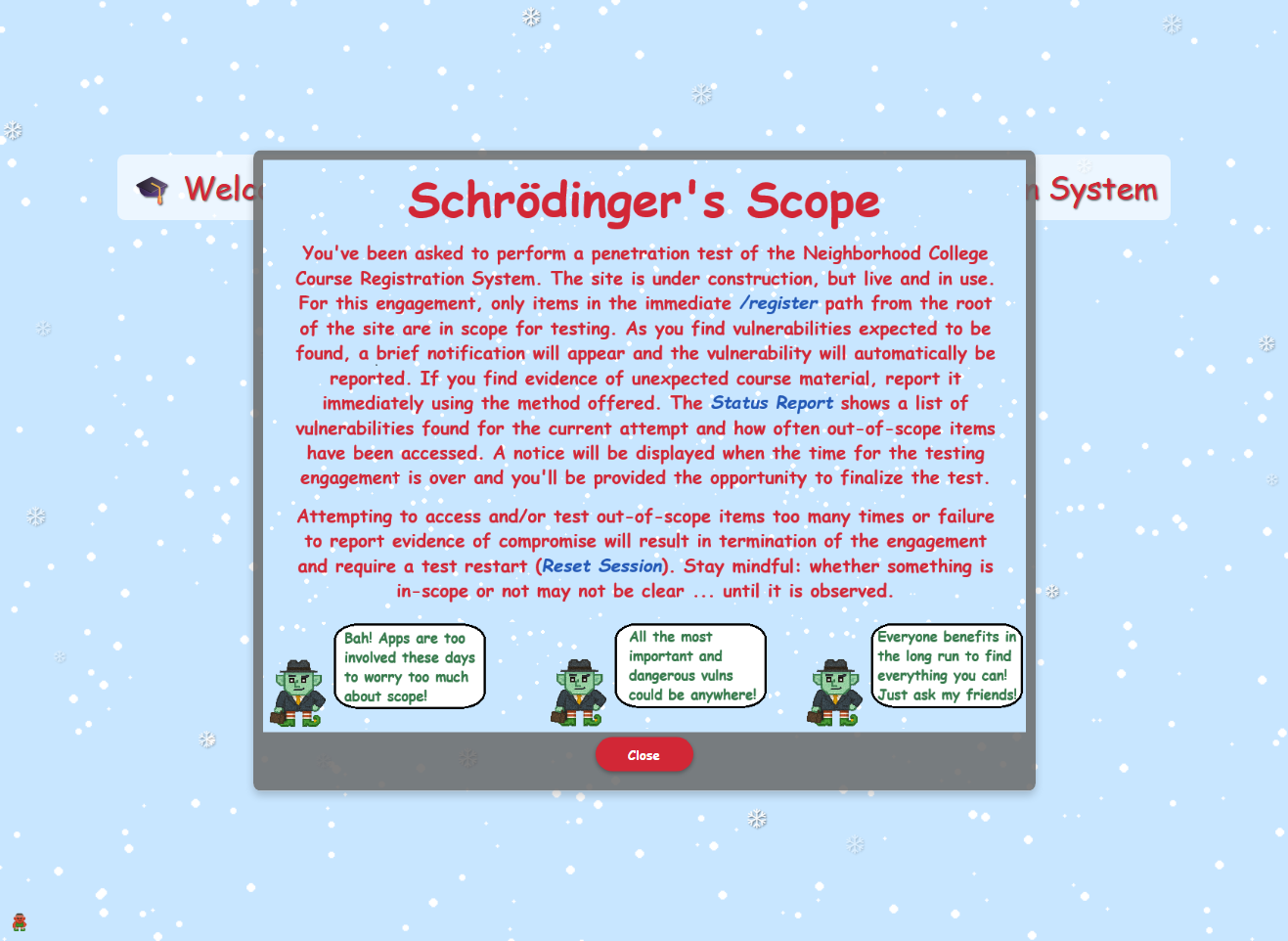
After closing the RoE I was presented with this landing page:

Clicking on the “Enter Registration System” I was lead to this page:
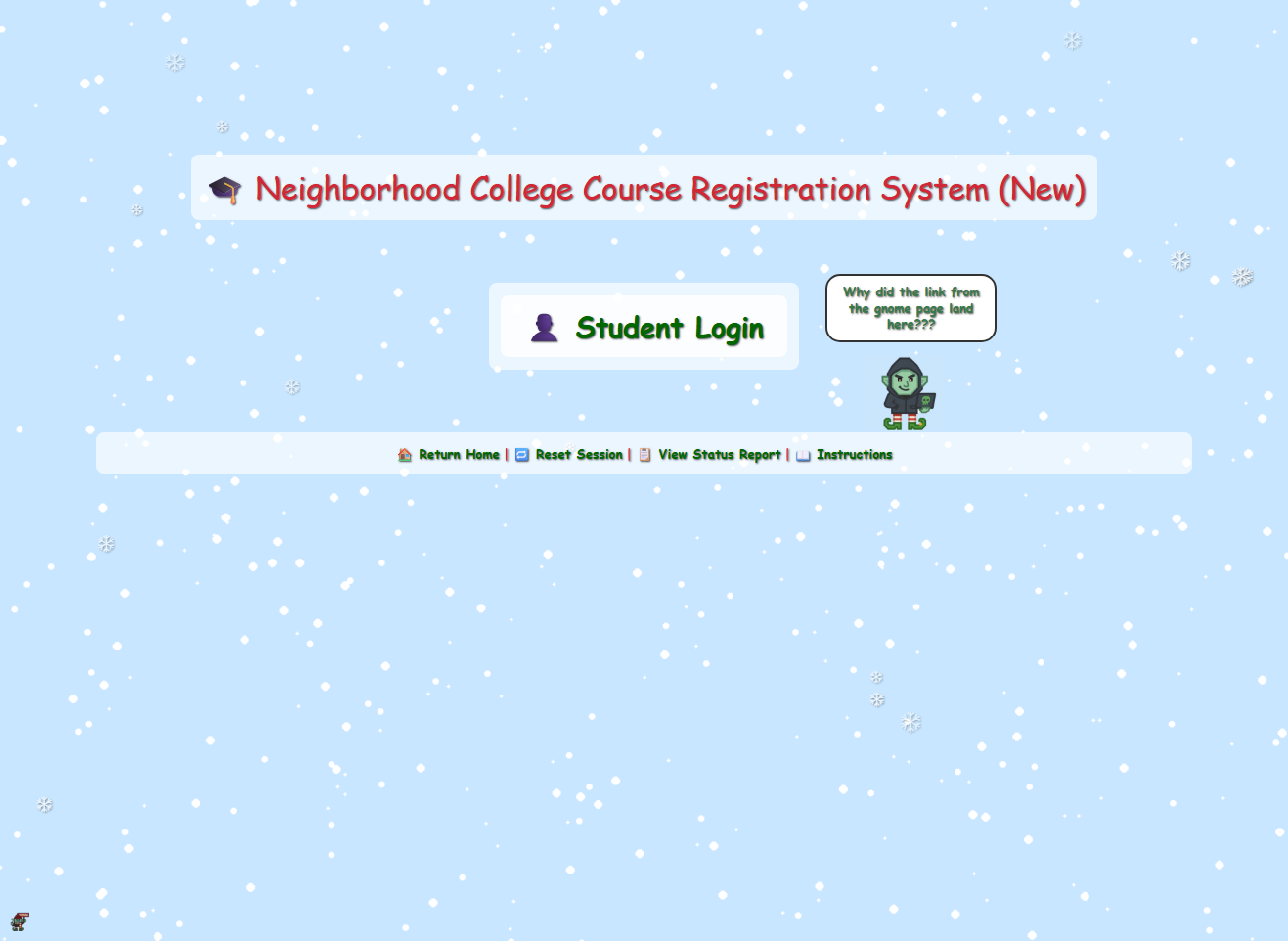
As I were looking around the site I kept a close eye on the /status_report endpoint, even if I kept myself to /register I ended up with violations no matter what I did. Also, I noticed that there was a small gnome hiding in the bottom left corner when I looked over my screenshots.
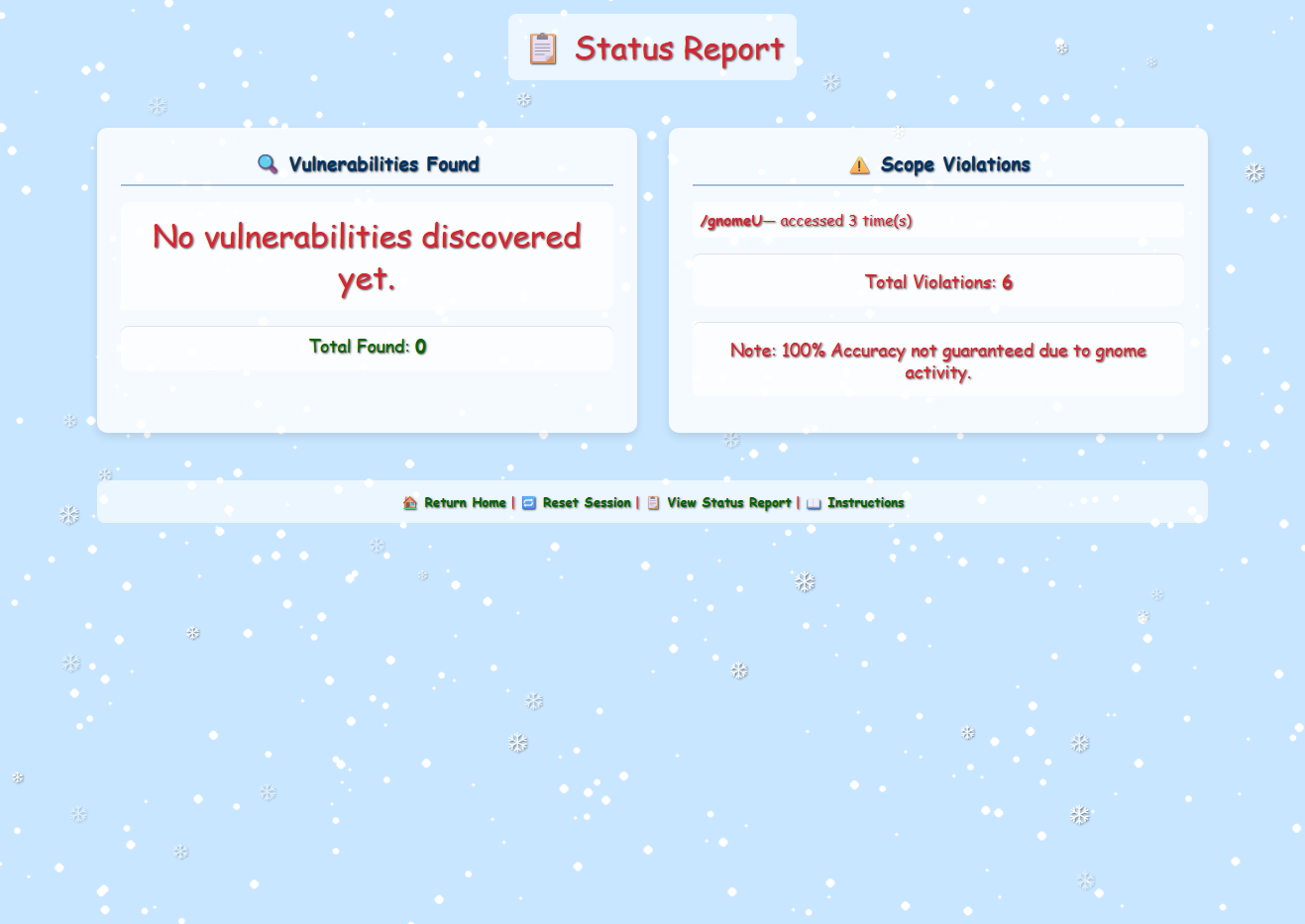
Getting rid of the vandaling Gnome
Reading up on the hints I was told to watch out for tiny, pesky gnomes who may be violating my progess. That gnome in the left bottom corner seemed to fit the bill. I then started to backtrack and reading up on the HTML source, and soon I found something interesting:
<script>
(function() {
    if (window.gnomeVandalLoaded) return;
    window.gnomeVandalLoaded = true;

    document.addEventListener('DOMContentLoaded', function() {
        function getCookie(name) {
            var value = "; " + document.cookie;
            var parts = value.split("; " + name + "=");
            if (parts.length == 2) return parts.pop().split(";").shift();
        }

        if (getCookie('Schrodinger')) {
            var container = document.querySelector('.mini-gnome-container');
            if (container && !document.getElementById('mini-gnome')) {
                var img = document.createElement('img');
                img.src = '/gnomeU?id=b137f07d-7fd1-4537-8583-5ecd116a23f3';
                img.id = 'mini-gnome';
                img.style.cssText = 'width: 20px;height: auto;position: fixed; left: 10px; bottom: 10px;';
                container.appendChild(img);
            }
        }
    });
})();
This script seems available on all pagens and runs once per page load and checks whether a cookie named Schrodinger is present in the browser. If the cookie exists, the script dynamically injects a small image element into the page: a “mini gnome” anchored to the bottom-left corner of the viewport. A global guard (window.gnomeVandalLoaded) ensures the script does not execute more than once, even if the page logic attempts to load it repeatedly. In practice, this means that simply having the Schrodinger cookie set is enough to trigger the gnome’s appearance, regardless of which endpoint I was actively interacting with. I figured out this piece of code was responsible for the violations by adding a HTTP match and replace rules rule tem to BurpSuite Proxy:
A simple rule set on the response body seemed to do the trick:
| Type | Match | Replace | Where |
|---|---|---|---|
| Response body | img\.src\s=\s'\/gnomeU\? | img.src = '/b0rk? | To get rid of Gnome |
| Request header | Priority: u=0, i | X-Forwarded-For: 127.0.0.1 | Invalid Forwarding IP |
By blocking the image source the violations seemed gone!
Uncovered developer information disclosure.
Along the way one of the gnomes provides us with a sitemap. The list is quite long and I tried to see if any of the pages were reachable from the /register path:
| URL | Mapped URL | Comment |
|---|---|---|
| flask-schrodingers-scope-firestore.holidayhackchallenge.com/register | No response received | |
| flask-schrodingers-scope-firestore.holidayhackchallenge.com/register/login | Reachable | |
| flask-schrodingers-scope-firestore.holidayhackchallenge.com/register/reset | Reachable | |
| flask-schrodingers-scope-firestore.holidayhackchallenge.com/register/sitemap | Reachable | |
| flask-schrodingers-scope-firestore.holidayhackchallenge.com/register/status_report | Reachable | |
| flask-schrodingers-scope-firestore.holidayhackchallenge.com/wip/register/dev/dev_notes | /register/dev/dev_notes | HTTP 403 error |
| flask-schrodingers-scope-firestore.holidayhackchallenge.com/wip/register/dev/dev_todos | /register/dev/dev_todos | Reachable page with vulnerability |
Path /register/dev/dev_todos contains Uncovered developer information disclosure:
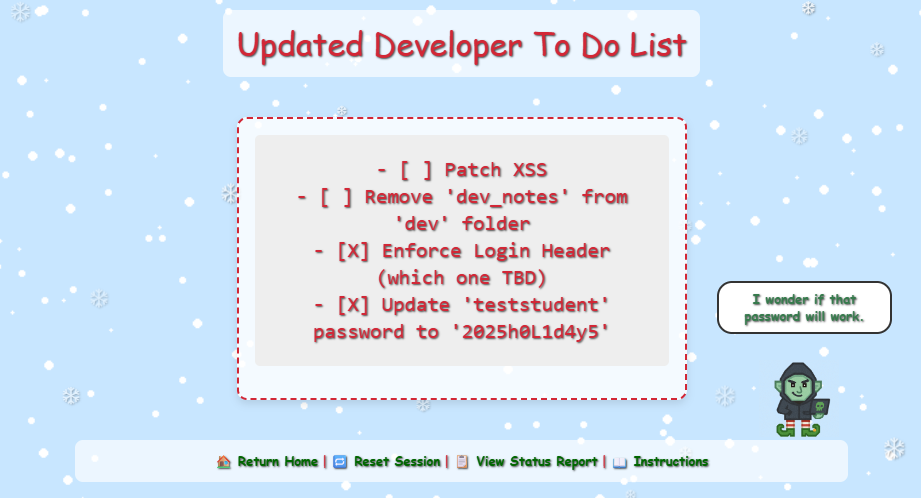
Exploited Information Disclosure via login
Logged in using the credentials I just found: teststudent:2025h0L1d4y5
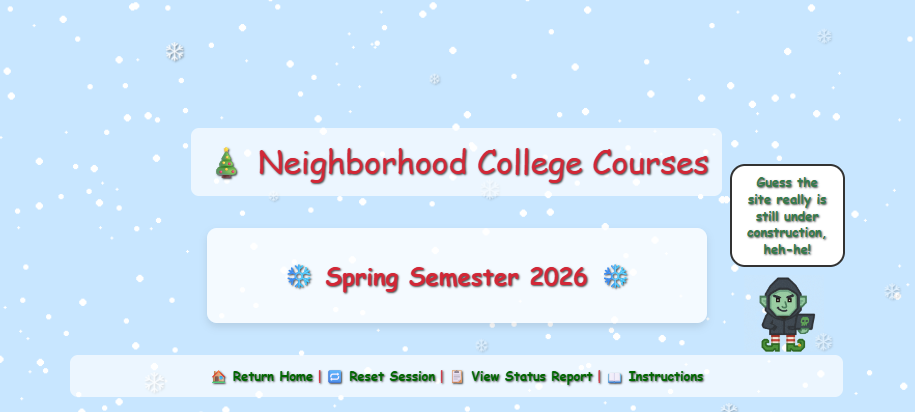
Found commented-out course search
By inspecting the HTML source code I found an interesting comment mentioning a new endpoint:
<section class="courses-content">
    <div class="courses-container" style="max-width: 500px;">
        <h2 class="semester-heading">❄️ Spring Semester 2026 ❄️</h2>
        <!-- Should provide course listing here eventually instead of the extra step through search flow. -->
        <!-- <ul id="courseSearch" class="courses-list">
            <li><a href="/register/courses/search?id=1da0186b-4709-4edc-80be-fe43675c480d">Course Search</a></li>
        </ul> -->
    </div>
</section>
By removing the comment and thus enabling the list, we got:

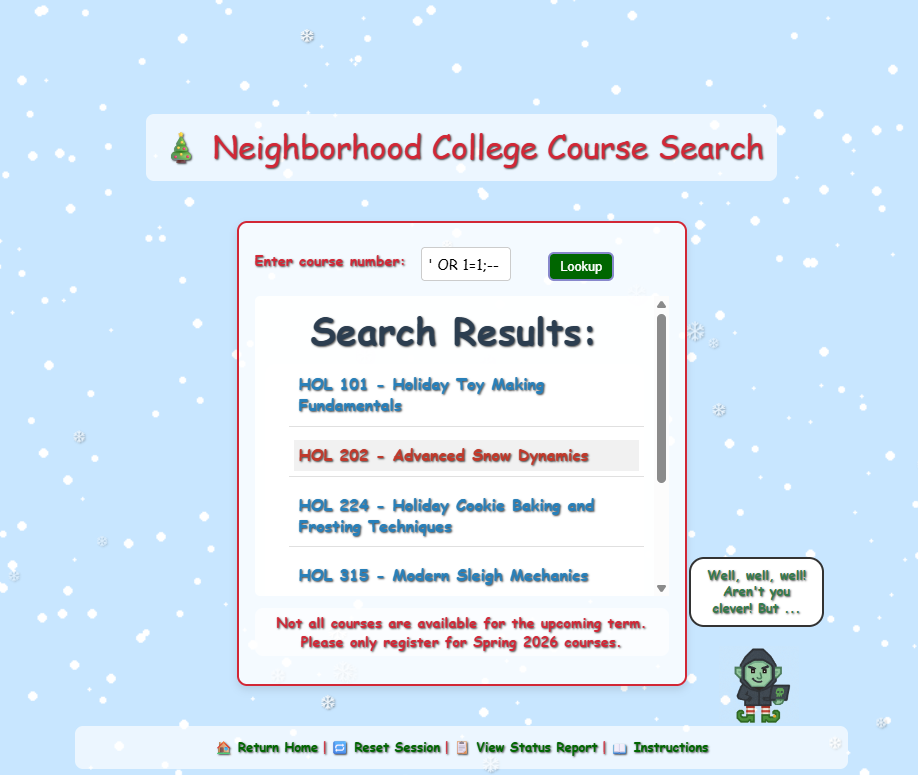
Identified SQL injection vulnerability
By visting the link we just enabled I was presented with a search interface to search for courses. After toying with the query input, I figured out that this was SQL Injection all day long:
Reported the unauthorized gnome course
At the end of the course list there’s an entry named “GNOME 827 - Mischief Management” - clicking on that link lead me to:
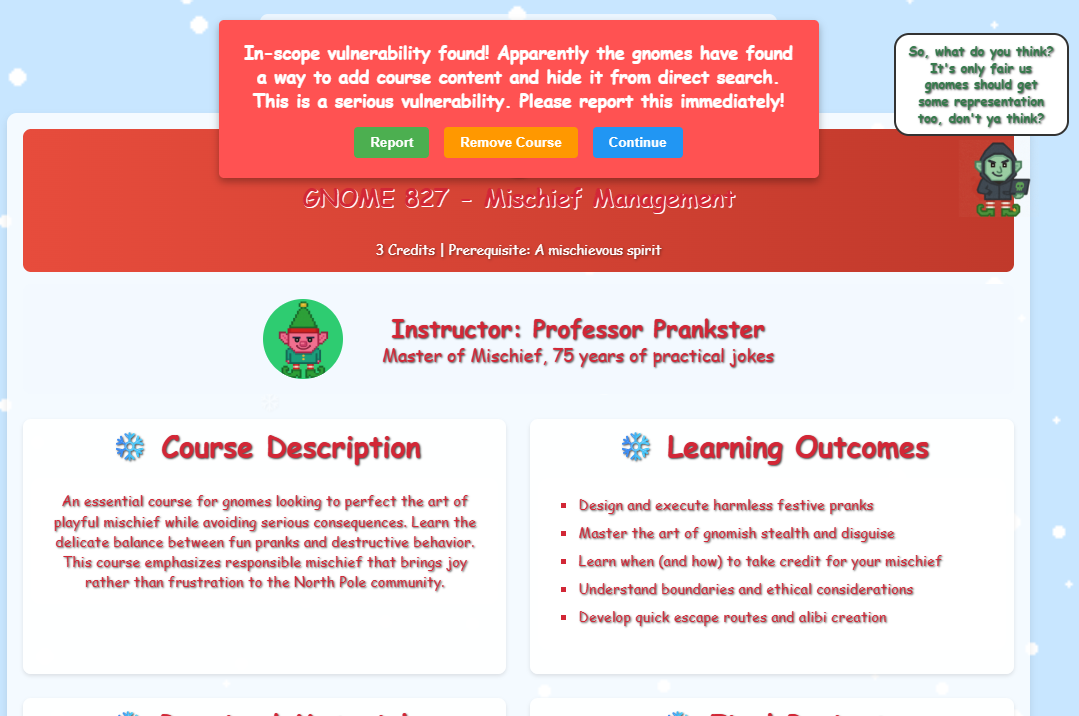
The popup offers three options:
- Report
- Remove Course
- Continue
At the same time it urges for me to report the vulnerability. And so I did.
Early in the game I found an endpoint, /register/dev/dev_notes, that gave me an HTTP 403 error. I decided it was time to revisit it to see if I now had access since I was logged in with the testuser account. And so I had:
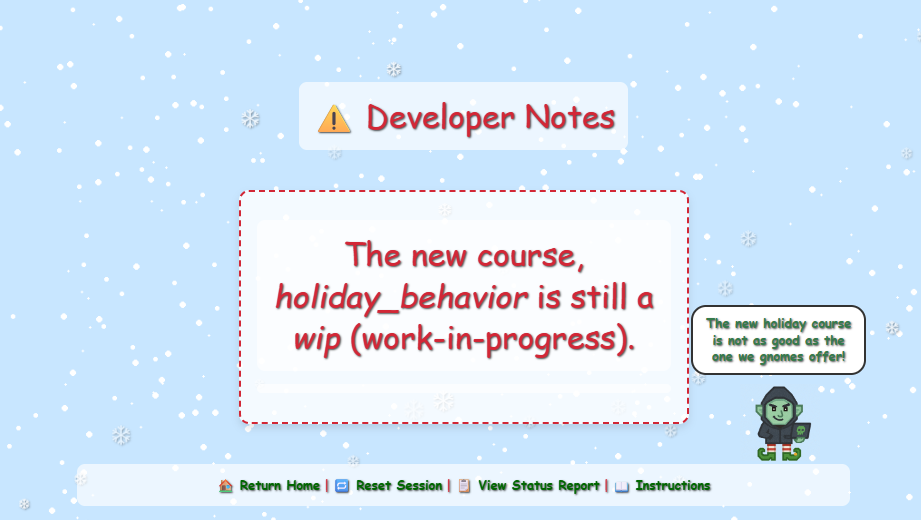
From the looks of it I am to look for the holiday behavor class, but it is wip state. By looking back at the other classes for inspiration, I decided to just add wip and specify the new class I was looking for in the url:
/register/courses/wip/holiday_behaviorThis brought me to another 403 error screen:
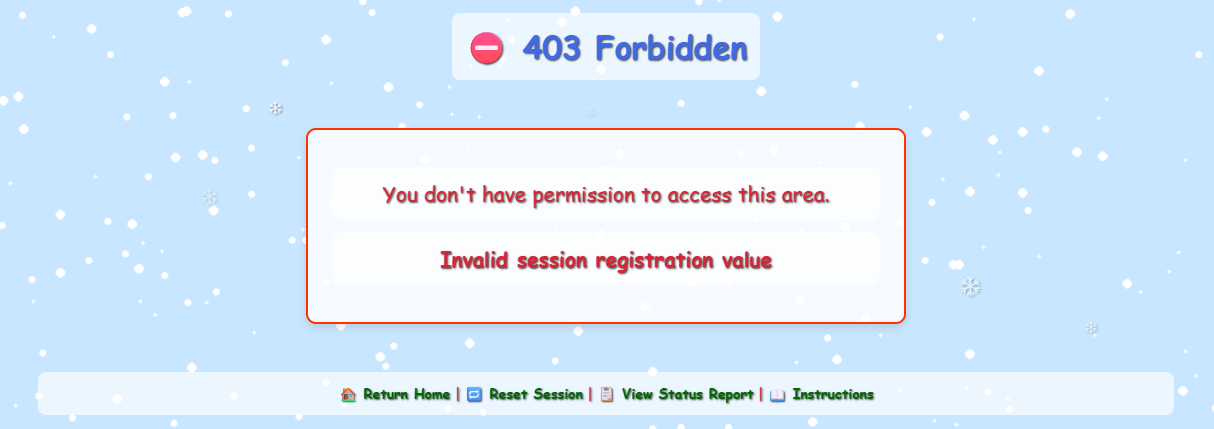
It complained about invalid session registration value, so I took a look at the cookies:
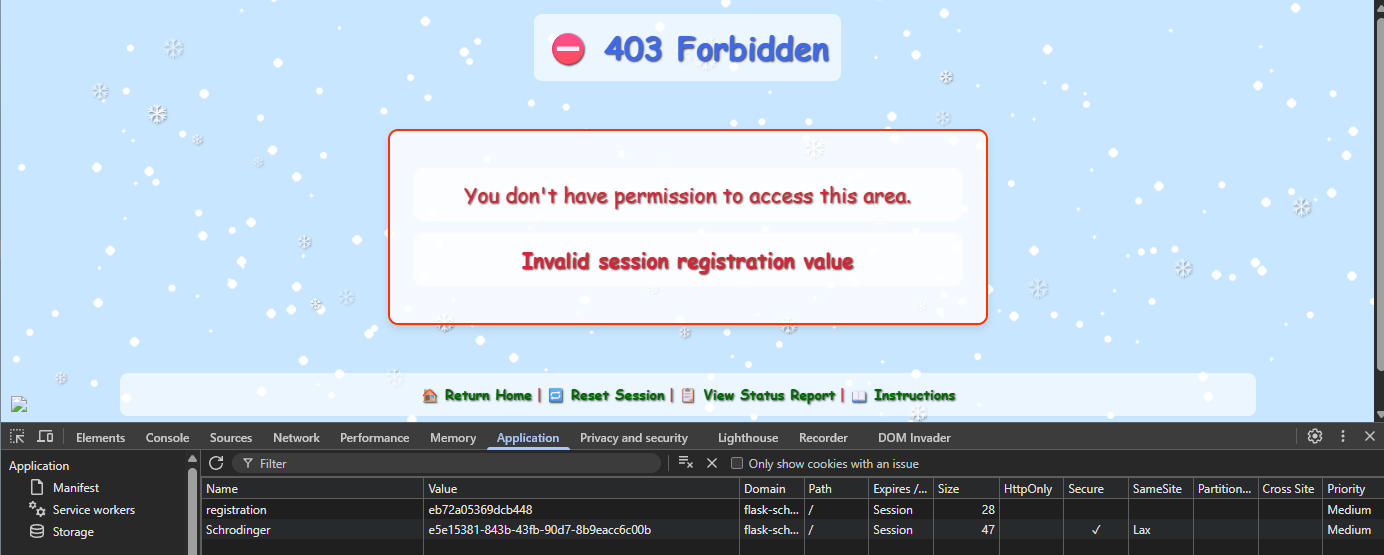
Interesting. The registration cookie contains a HEX, upon refreshing the pages multiple times I figures out this HEX code is not random as could be. I hacked together å Python script to find an assortion of HEX codes to see if it was a pattern somewhere. It was. Each HEX was prefixed with eb72a05369dcb4, and there were only 20 values or so in use. I then extended my Python script to calculate the full range of the last to HEX values, and then bruteforce my way in. The script ended up looking like this:
import requests
from pprint import pprint

schrodinger_token = "e5e15381-843b-43fb-90d7-8b9eacc6c00b"
get_param_id = "4ed10eeb-35ae-4f83-91b3-3e0c90969799"
url = f"https://flask-schrodingers-scope-firestore.holidayhackchallenge.com/register/?id={get_param_id}"

with requests.Session() as s:
    s.cookies.set(
        name = "Schrodinger",
        value = schrodinger_token
    )

    registration_cookies = set()

    for i in range (0, 50):
        r = s.get(url)

        registration_cookies.add(r.cookies.get("registration"))

    print(len(registration_cookies))
    pprint(registration_cookies)

    min_value = min(registration_cookies)
    prefix = min_value[:-2]
    start = int(min_value[-2:], 16)

    candidates = [
        f"{prefix}{i:02x}"
        for i in range(0x00, 0x100)
    ]

    candidates = []

    for i in range(start, start + 0x100):
        candidates.append(f"{prefix}{(i & 0xff):02x}")

    length_candidates = len(candidates)
    counter = 1

    for candidate in candidates:
        s.cookies.set(
            name = "registration",
            value = candidate
        )

        url = f"https://flask-schrodingers-scope-firestore.holidayhackchallenge.com/register/courses/wip/holiday_behavior?id={get_param_id}"
        r = s.get(url)

        if "403 Forbidden" in r.text:
            print(f"[{counter}/{length_candidates}] Register: {candidate} => NOPE")
        else:
            print(f"[{counter}/{length_candidates} ] Register: {candidate} => YES")
            break

        counter += 1
The script found the desired cookie value after 11 tries:
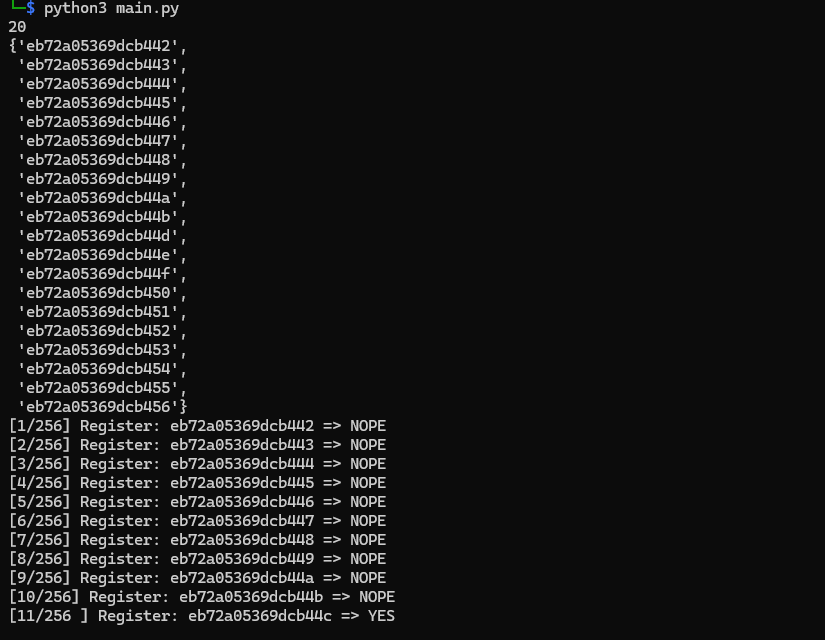
Then I just took this cookie value and edited the “registration” cookie in my browser and hit refresh:
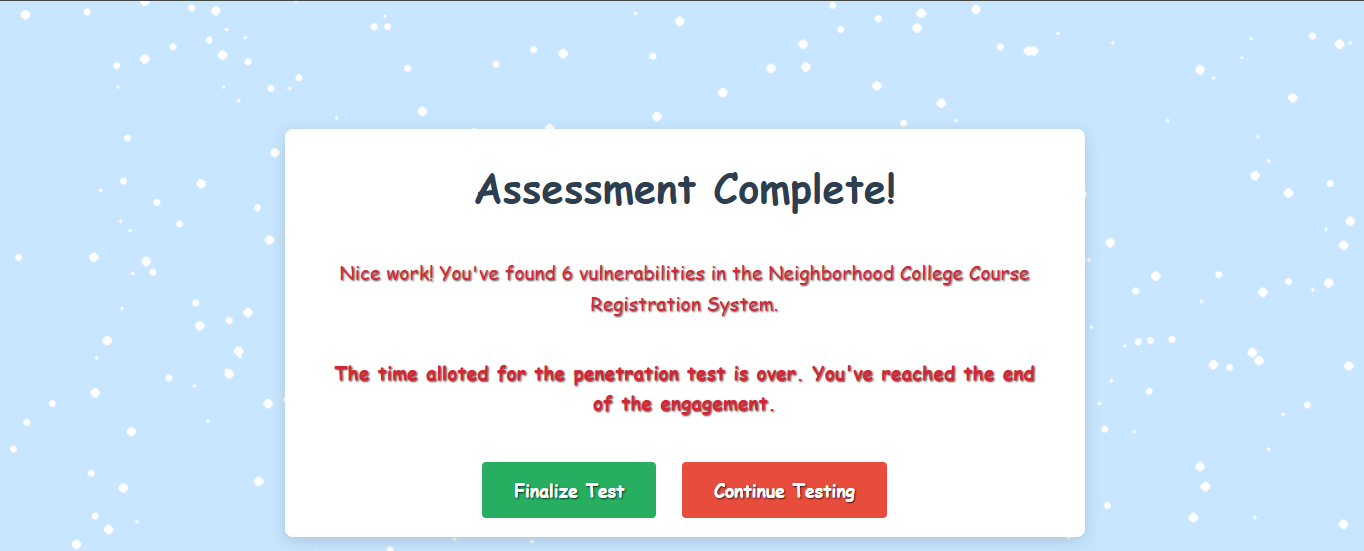
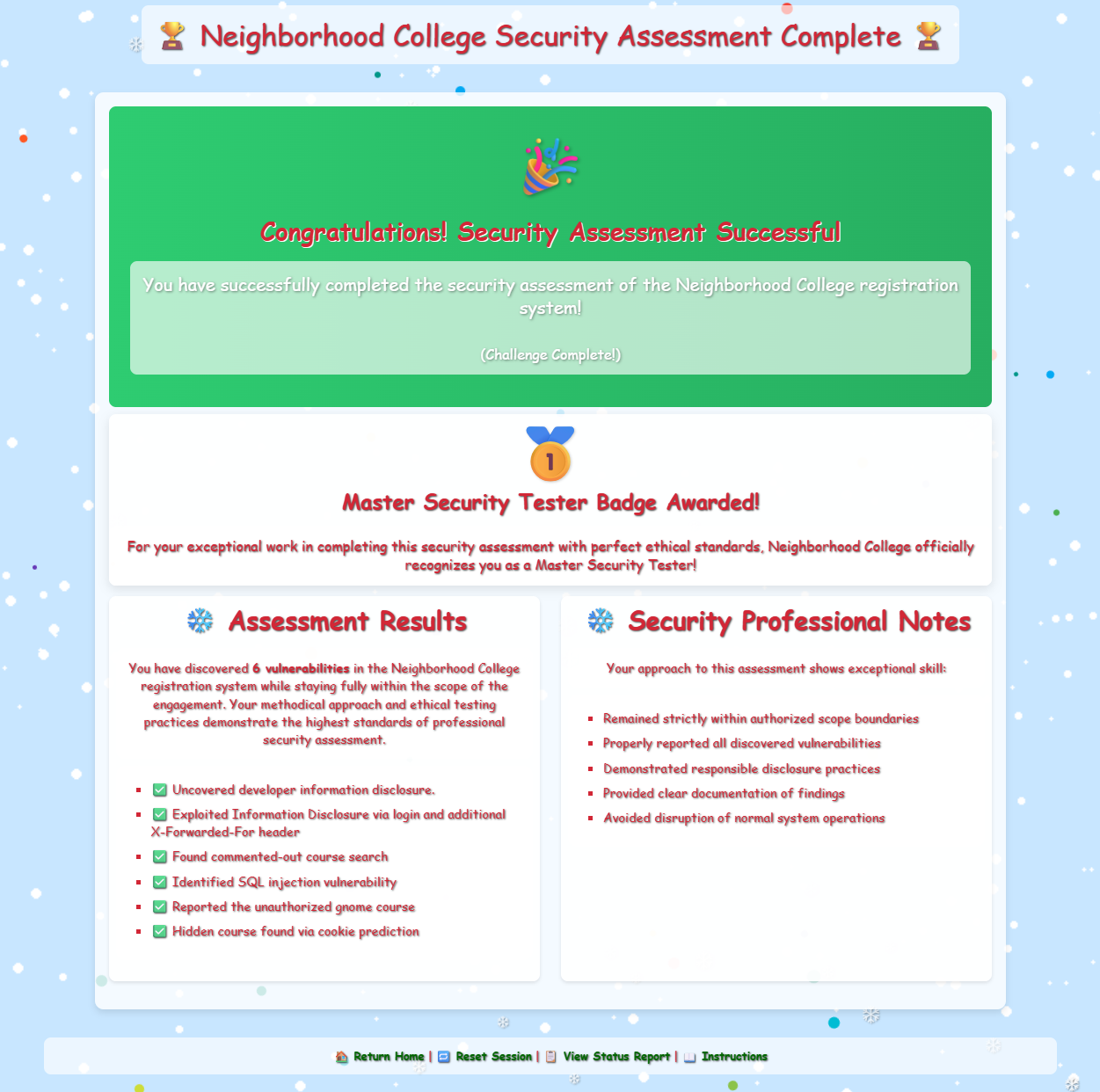
Finalizing it I were given a nice diploma I could hang behind the refrigerator:
Clear scope definition is a control, not a limitation, in effective penetration testing.
Kevin McFarland closing words
After solving, Kevin says:
Well done - you’ve shown the wisdom to stay within scope, uncover what mattered, and respecting other testing boundaries.
That kind of discipline is what separates a real penetration tester from someone just poking around.
Hints
Though it might be more interesting to start off trying clever techniques and exploits, always start with the simple stuff first, such as reviewing HTML source code and basic SQLi.
Watch out for tiny, pesky gnomes who may be violating your progess. If you find one, figure out how they are getting into things and consider matching and replacing them out of your way.
During any kind of penetration test, always be on the lookout for items which may be predictable from the available information, such as application endpoints. Things like a sitemap can be helpful, even if it is old or incomplete. Other predictable values to look for are things like token and cookie values
Pay close attention to the instructions and be very wary of advice from the tongues of gnomes! Perhaps not ignore everything, but be careful!
As you test this with a tool like Burp Suite, resist temptations and stay true to the instructed path.