Quantognome Leap

Objective
| Difficulty | Description |
|---|---|
| 2/5 | Charlie in the hotel has quantum gnome mysteries waiting to be solved. What is the flag that you find? |
Charlie Goldner mission statement
Hello! I’m not JJ. I like music.
I accept AI tokens.
I like quantum pancakes.
I enjoy social engineeering.
Check back with me later - I might have something for you to help with!
I just spotted a mysterious gnome - he winked and vanished, or maybe he’s still here?
Things are getting strange, and I think we’ve wandered into a quantum conundrum!
If you help me unravel these riddles, we might just outsmart future quantum computers.
Cryptic puzzles, quirky gnomes, and post-quantum secrets—will you leap with me?
Solution
This objective focuses on logic flaws and state manipulation by forcing me to reason about non-linear execution paths rather than straightforward input/output. By interacting with a system that behaves inconsistently depending on state and observation, the challenge mirrors real-world issues where application logic, timing, or assumptions can be exploited without traditional vulnerabilities. It reinforces that not all security failures are technical bugs—some emerge from how systems model reality.
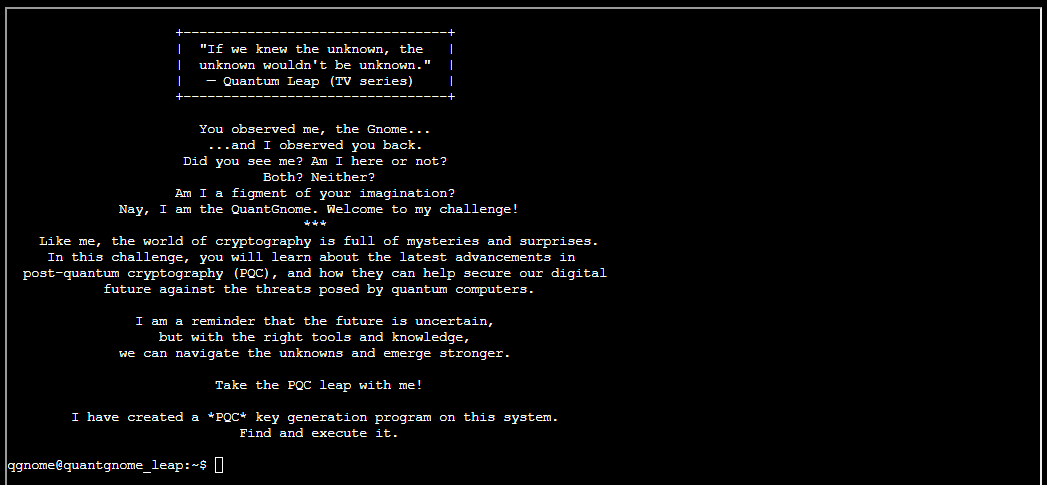
Finding the PQC key generation program is quite easy, as we just can type pq and hit TAB and the auto completion will complete the rest for us:
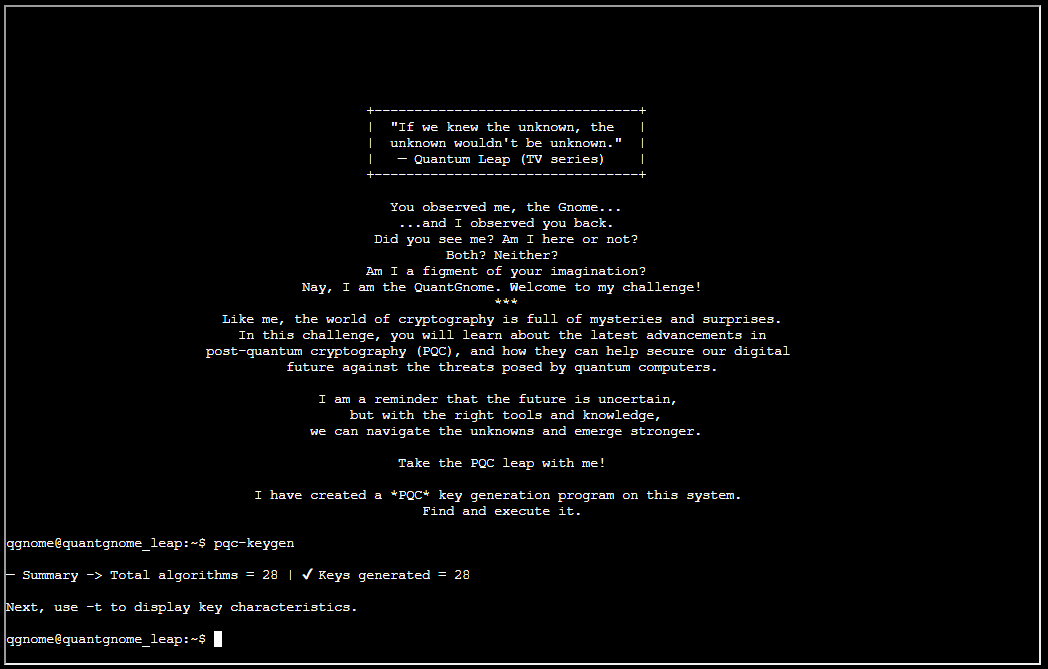
Next, use -t to display key characteristics, as the screen instructs us to do:
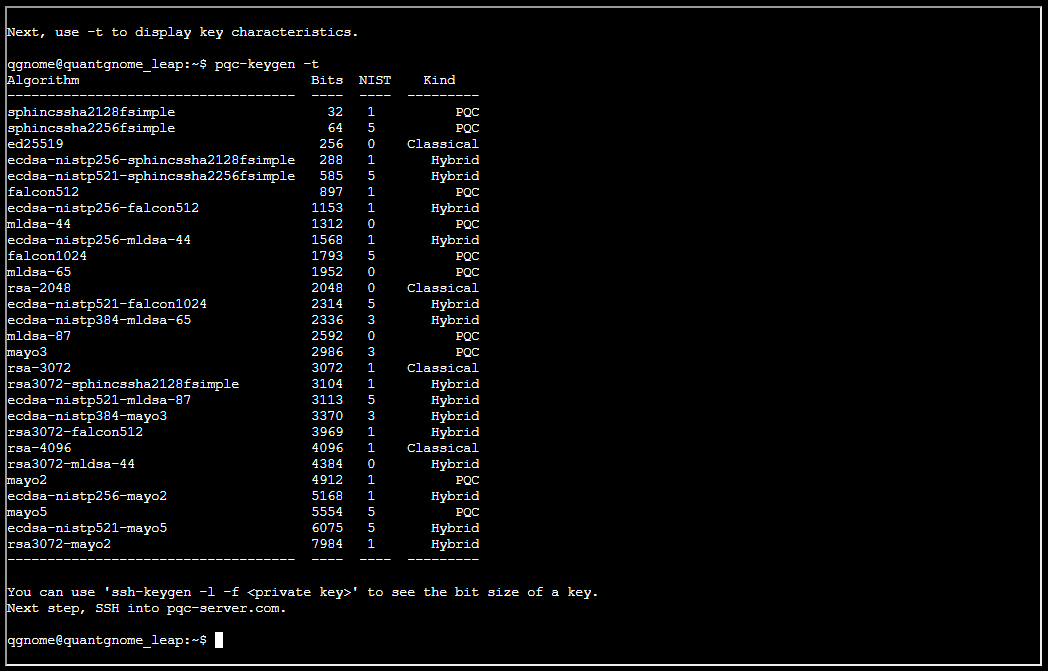
The hint states: “You can use ‘ssh-keygen -l -f ’ to see the bit size of a key. Next step, SSH into pqc-server.com.”. But first, lets see if there’s a username I possibly can use:

The username gnome1 could possibly help me. Since the current user already has got a .SSH folder and keys, let’s see if these leads anyway:

And it does!

So now we are trying to get access to user gnome2. Trying to see if we can rinse and repeat the process here:
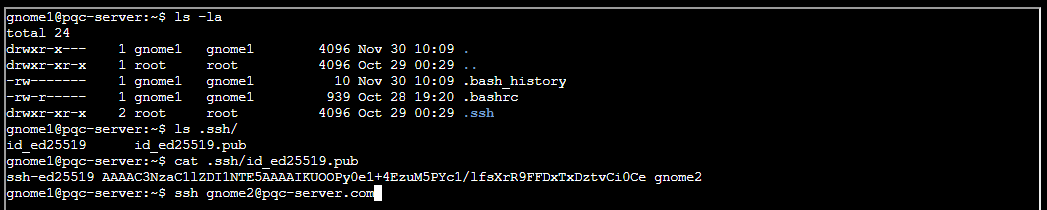
Rinse and repeat worked:

Let me guess … rinse and repeat for user gnome3?
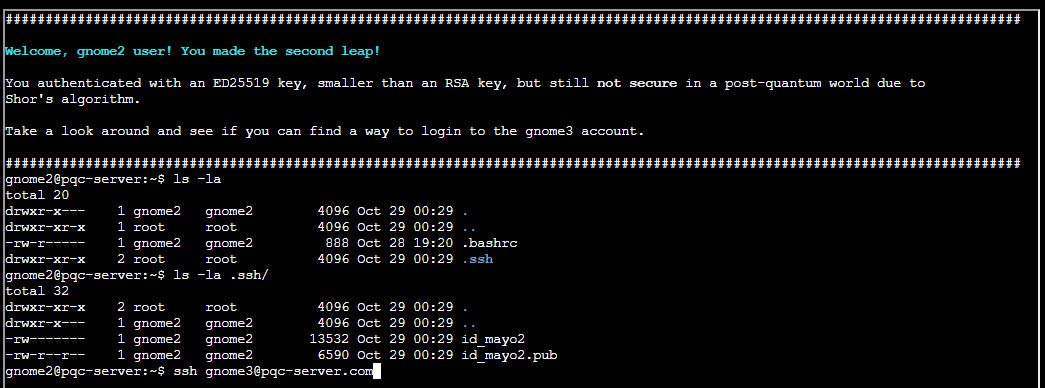
Yes … that worked ..
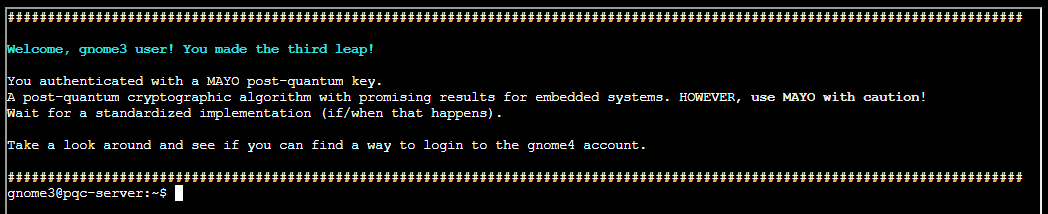
And for gnome4, we find this users keys as well …
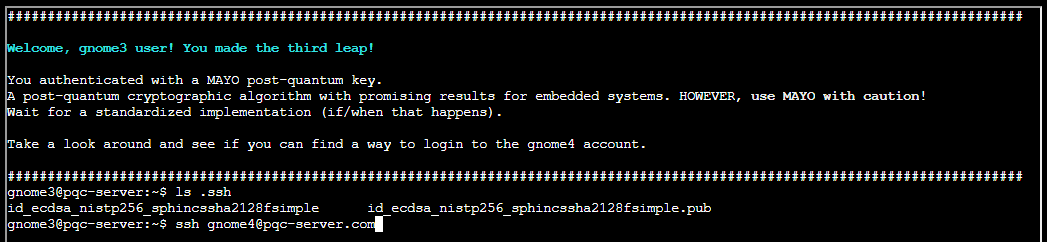
And we are in …
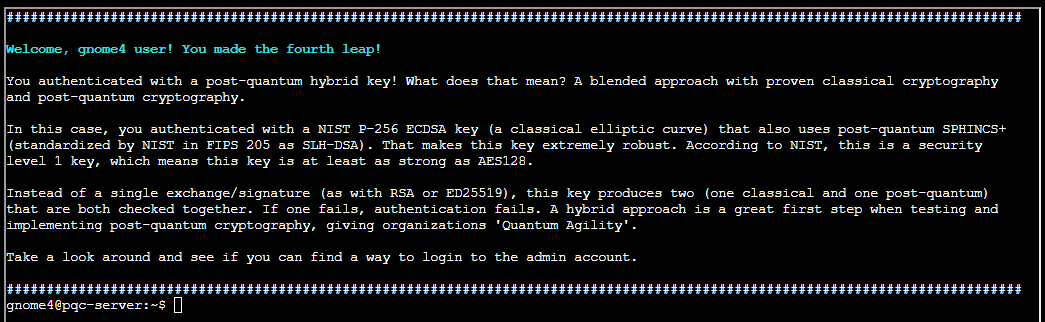
And for admin, we find this users keys as well …

And we are in as admin…
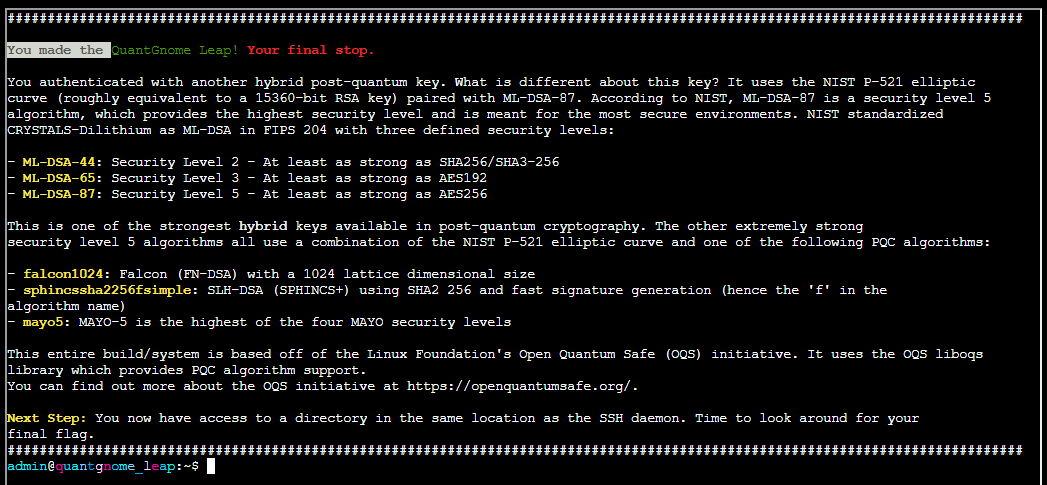
Finding the flag:
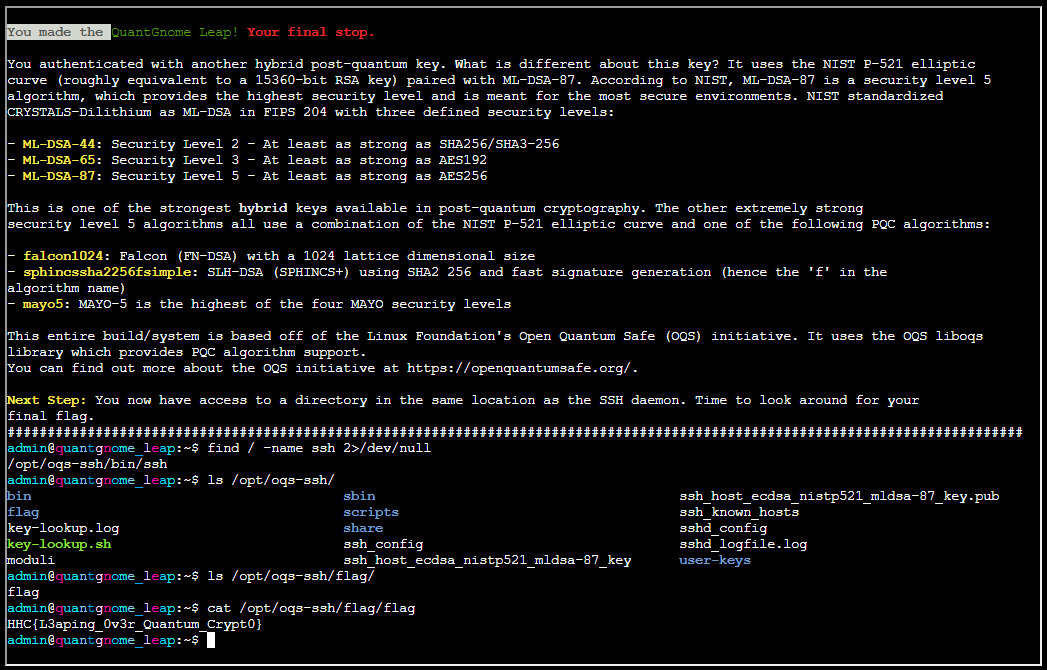
Flag is HHC{L3aping_0v3r_Quantum_Crypt0}
When logic becomes complex, assumptions become the real vulnerability.
Charlie Goldner mission debrief
That was wild—who knew quantum gnomes could hide so many secrets?
Thanks for helping me leap into the future of cryptography!