Visual Firewall Thinger

Objective
| Difficulty | Description |
|---|---|
| 1/5 | Find Elgee in the big hotel for a firewall frolic and some techy fun. |
Chris Elgee mission statement
Oh hi! Am I on the road again? I should buy souvenirs for the family.
Loud shirts? Love them. Because - hey, if you aren’t having fun, what are you even doing??
And yes, finger guns are 100% appropriate for military portraits.
… We should get dessert soon!
Welcome to my little corner of network security! finger guns
I’ve whipped up something sweeter than my favorite whoopie pie - an interactive firewall simulator that’ll teach you more in ten minutes than most textbooks do in ten chapters.
Don’t worry about breaking anything; that’s half the fun of learning!
Ready to dig in?
Holiday Firewall Simulator
This objective introduces a visual model for understanding firewall behavior and rule evaluation. Rather than configuring a firewall through syntax or vendor-specific interfaces, I am presented with an interactive representation that shows how traffic is evaluated against a set of rules.
The purpose of this challenge is to reinforce how allow and deny decisions are made based on rule order, matching criteria, and default behavior. By observing traffic as it is explicitly permitted or blocked, I can more clearly reason about how small rule changes can have significant downstream effects.
This visualization emphasizes that firewall effectiveness depends not only on the presence of rules, but on their structure, ordering, and interaction—concepts that are critical when analyzing real-world network controls.
Upon entering the simulator I were presented with a fairly nice GUI. By spending a couple of minutes it is all quite forward what to do. It told me exactly what to do under the “Firewall Configuration Goals” section. Let’s get cracking!
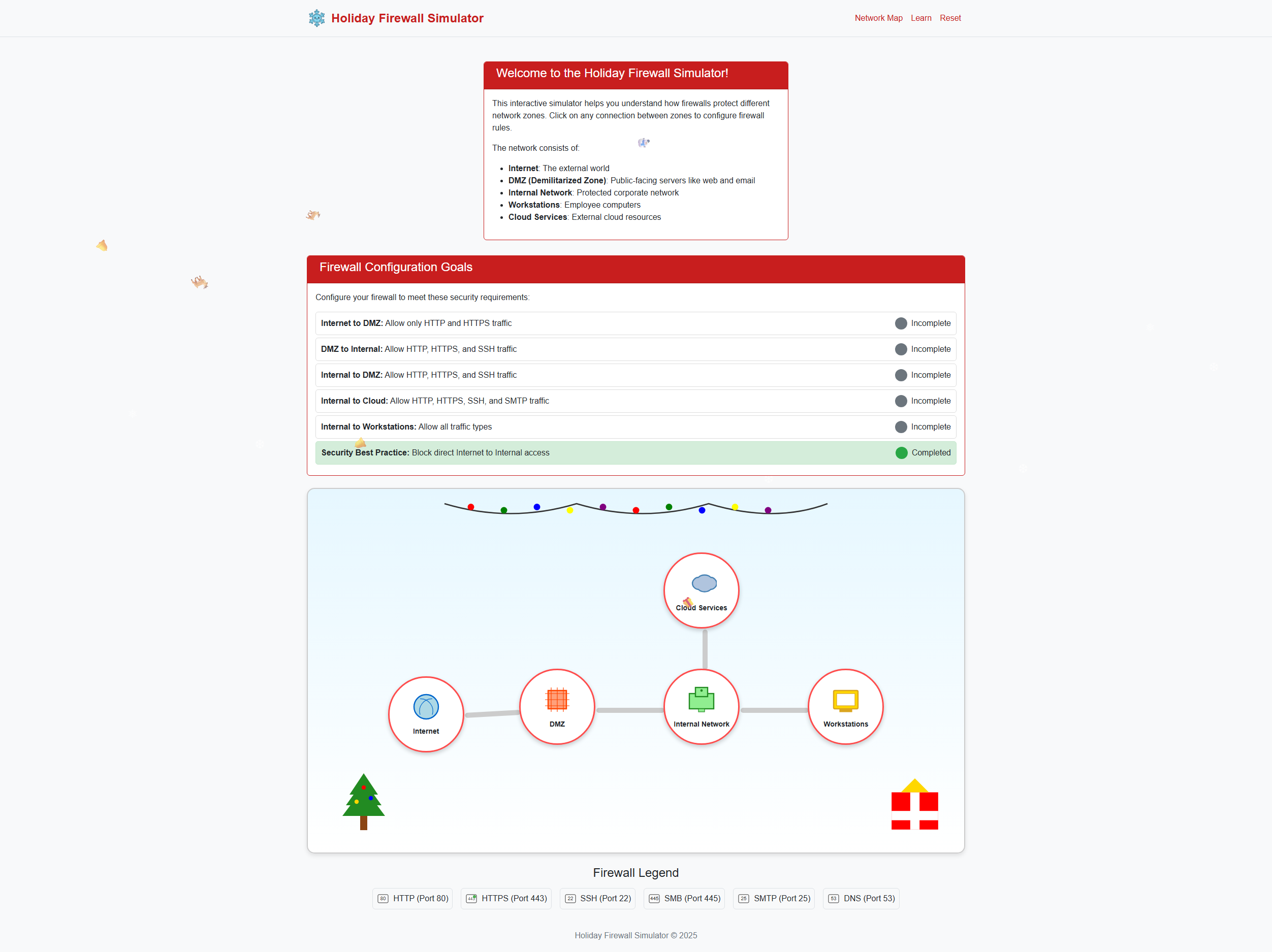
Clicking on the “Internet” node in the network drawing showed me I had to enable http and https and click “Save Rules”.
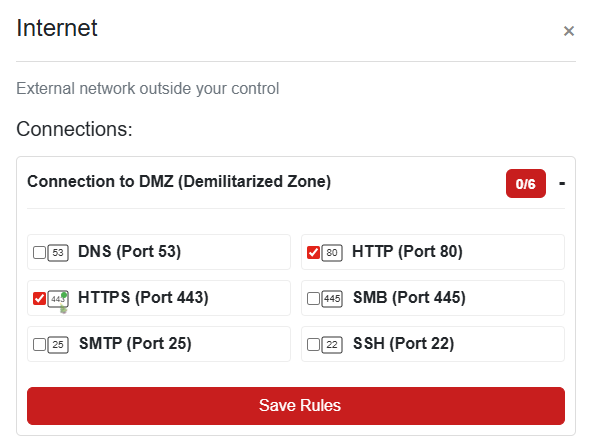
Next, I enabled HTTPS, HTTP and SSH for the DMZ:
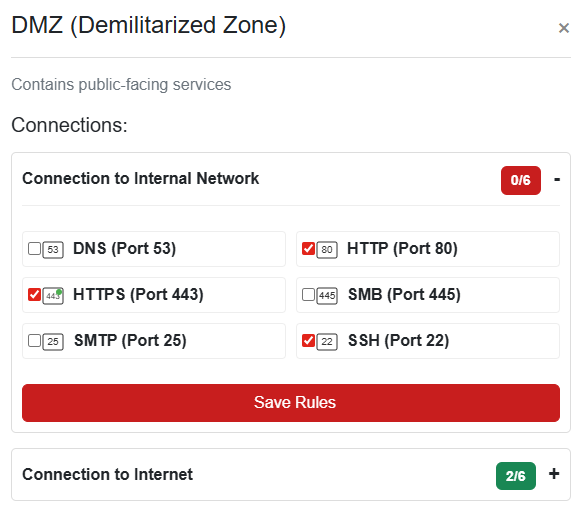
For the internal network to cloud I enabled http, https, smtp and ssh:
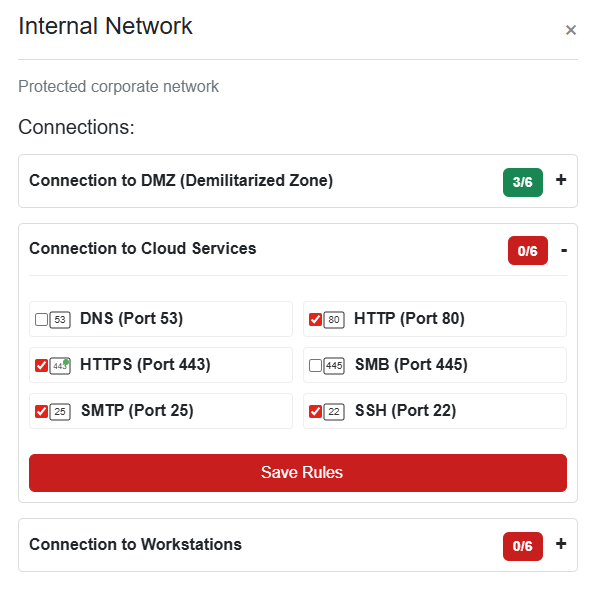
I wasn’t quite done with the internal network just yet. I had to configure the connections to the workstations as well. These should have full access.
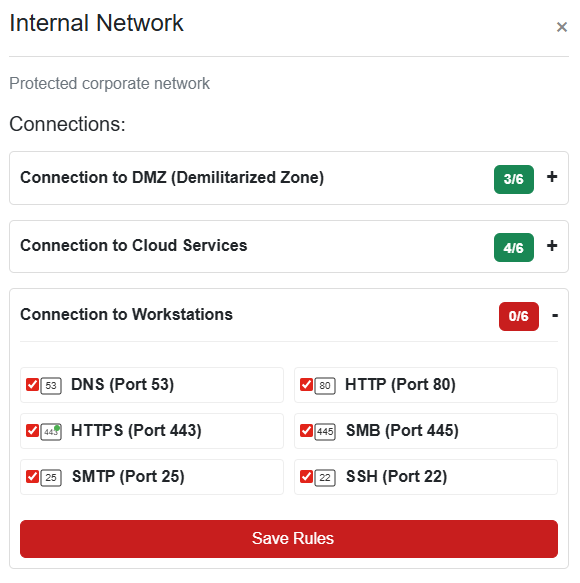
And Done!
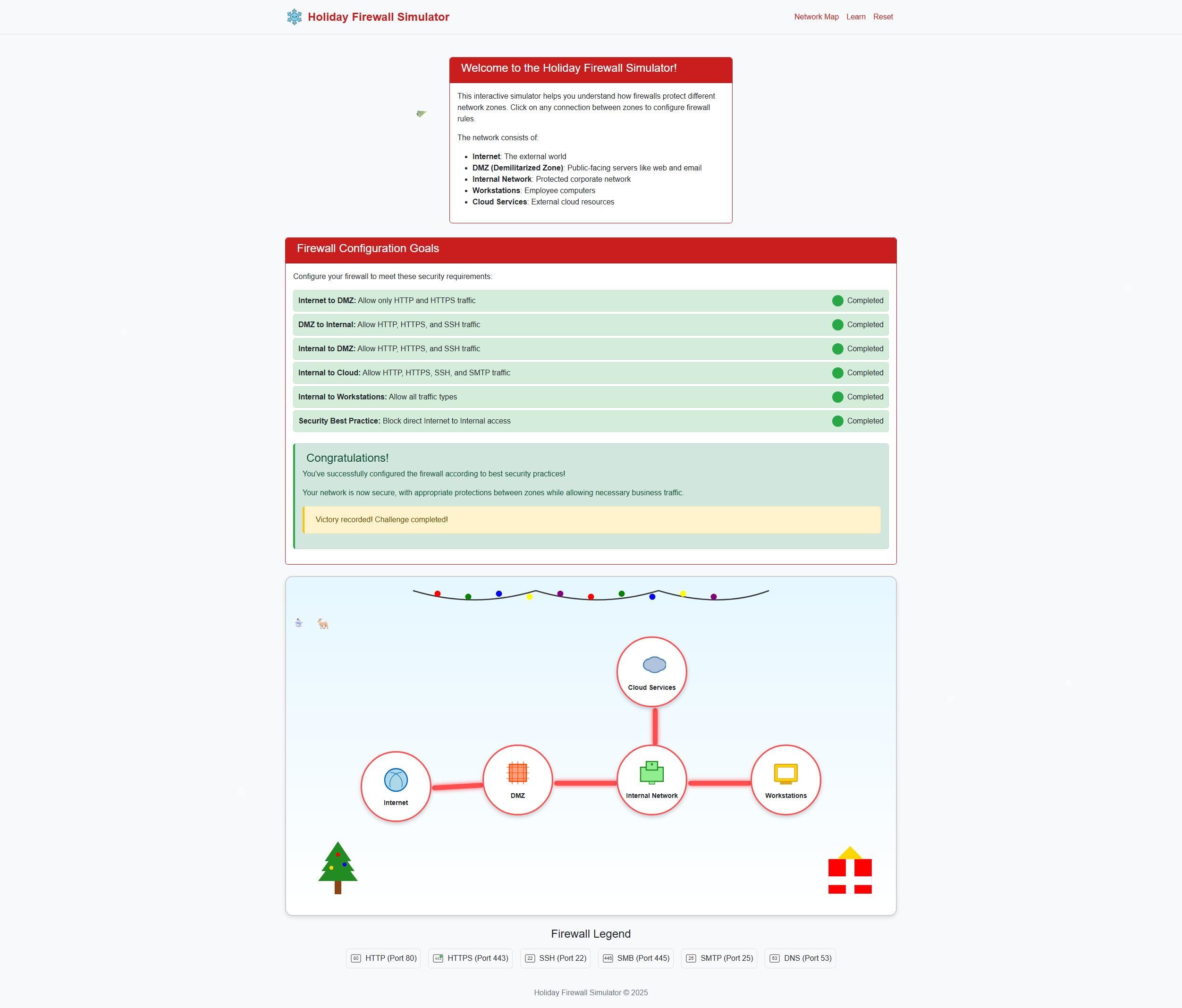
This objective reinforces that firewall policy is ultimately about decision logic, not just rule count.
Chris Elgee closing words
After solving, Chris says:
finger guns Nice work! You’ve mastered those firewall fundamentals like a true network security pro.
Now that was way more fun than sitting through another boring lecture, wasn’t it?